
 Add as preferred on Google
How to Modernize a Legacy Learning Platform Without a Full RewriteRead More

User interface (UI) testing plays an important role in ensuring user experience (UX) and product quality. For manual QA engineers, testing is frequently conducted based on how real users interact with an application and how the UI behaves visually across different scenarios. Visual usability, consistency, and layout stability are crucial factors in maintaining user trust and perceived quality.
In 2026, UI testing has become more complex than ever. Modern applications are highly interactive, dynamic, and visually rich. Users expect not only correct functionality but also a consistent, smooth, and polished UI experience. Even small visual issues can critically impact trust and overall product perception.
Over time, QA teams have learned that functional testing alone is not enough to protect UI quality. Visual testing has therefore become a critical part of a practical and robust QA strategy.
This blog covers:
The content is based on real-life UI testing challenges and is written in simple, practical language.
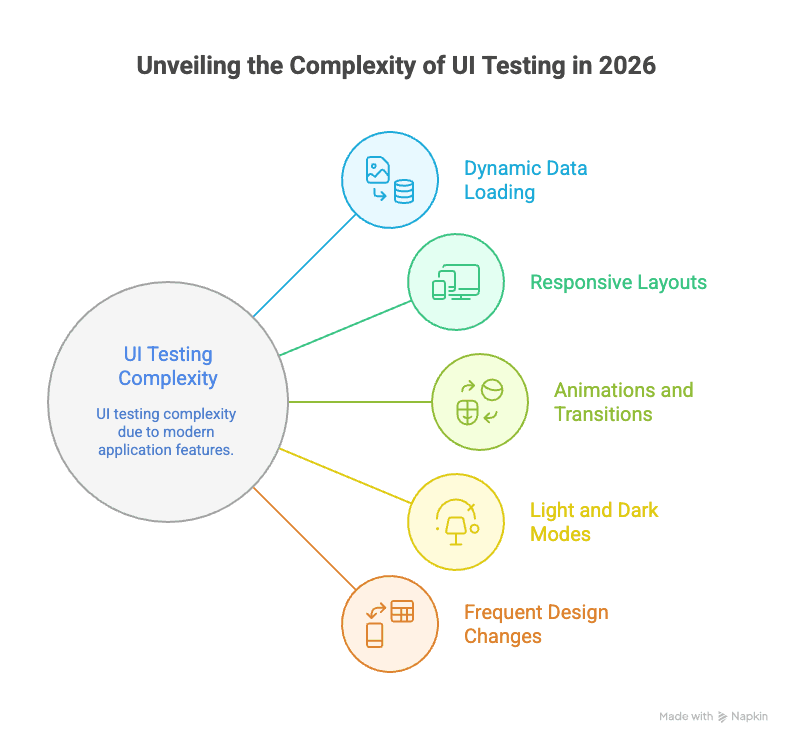
Nowadays, UI testing looks very different from how it used to be. Modern applications typically include:
From a QA perspective, these introduce real challenges:
As products grow and development cycles continue, these challenges become more visible.
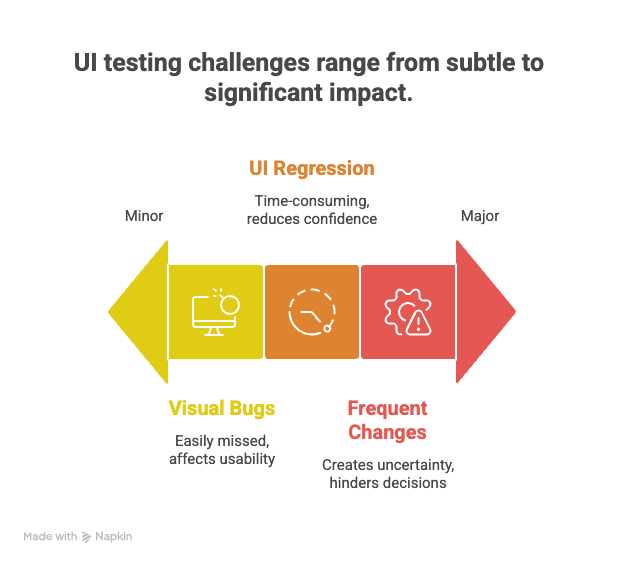
Even experienced manual QA engineers can miss visual issues. When the same screens are tested repeatedly, the UI becomes familiar, and small layout shifts begin to look “normal,” which causes alignment issues or minor spacing problems to go unnoticed.
Common examples of visual bugs include:
Even though these issues look minor, they directly influence usability and user trust.
UI regression testing is required for every release. This often involves manually comparing layouts, rechecking the same screens across builds, and relying on human memory instead of visual evidence.
A familiar question during regression testing is, “Has this always looked like this, or is this a new issue?” This reduces confidence in making UI-related decisions because there are no clear visual references.
UI changes happen frequently due to design improvements, layout refinements, and ongoing visual adjustments. Most of the time, not all changes are clearly communicated to QA teams.
This creates uncertainty:
QA teams need better visibility to make the right decisions.
Visual testing focuses on how the UI looks, not just whether it functions correctly. It helps answer important questions:
Visual testing does not replace manual testing. Instead, it strengthens UI testing by providing objective, repeatable visual comparisons. Rather than relying solely on memory, QA teams gain clear evidence to support decisions.
Automation frameworks provide a feasible and reliable way to capture and compare UI states visually.
Key strengths include:
From a quality perspective, visual testing with automation frameworks (e.g., Playwright) improves collaboration between QA, developers, and designers by providing a shared visual context.
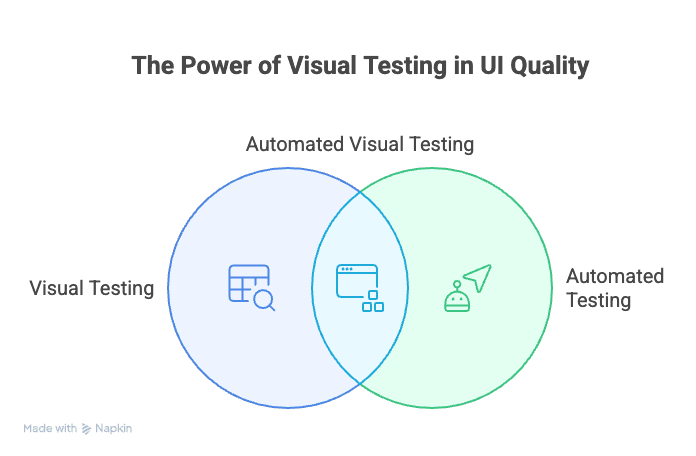
Visual testing is a QA method that checks whether a UI looks as intended by comparing screenshots against “expected” or “baseline” saved images. It helps catch visual bugs in colors, fonts, images, and layout that functional tests often miss, ensuring a consistent and polished UX across different devices and browsers.
It follows a simple process:
Any unexpected change becomes immediately visible. This approach turns UI validation into something objective, reviewable, and easy to communicate.
This blog focuses on why visual testing is important for managing complex UI testing and maintaining UI quality. It intentionally avoids deep technical implementation details.
For readers who want to explore implementation details, there are dedicated resources and articles that explain how Playwright supports visual testing and how it can be integrated into a UI-focused QA workflow.
For example: Playwright Visual Testing: A Complete Guide to Reliable UI Regression Tests
Visual testing provides side-by-side image comparisons and clearly highlighted visual differences. It provides strong evidence for UI-related decisions, improves communication, and accelerates issue resolution.
Instead of manually rechecking every screen, QA teams review only those screens where visual changes are detected by test automation. This reduces time, effort, and cost where they matter most, increasing efficiency without compromising quality.
Visual testing helps ensure UI consistency across releases, fewer unexpected visual issues in production, and a more reliable and polished user experience. It increases confidence in UI quality across the entire team.
Some visual changes are expected, such as planned design updates and intentional UI improvements. QA judgment remains essential to review visual differences and confirm design intent. QA teams should update baselines when appropriate.
Dynamic elements such as dates, timestamps, user-specific content, and random or generated values can trigger unnecessary visual differences.
To manage this effectively, ignore or mask dynamic areas, focus comparisons on stable UI regions, and validate only what truly impacts the user experience.
Visual testing highlights visual changes, but humans determine whether those changes are acceptable. Maintaining this balance between automation and human judgment is critical for delivering high-quality UI experiences.
Visual testing supports manual testing but does not replace it. A practical QA workflow includes manual testing for new features or functionality updates, visual testing for UI regression, QA review of detected visual differences, and clear decisions on defects versus expected changes. This approach scales well and helps protect UI quality as products grow.
In 2026, complex UI testing requires more than functional validation. As applications grow visually and dynamically, maintaining UI quality demands better visibility, practical testing strategies, and strong judgment.
From a manual QA perspective, visual testing plays an important role in protecting user experience. It provides clear evidence, reduces uncertainty, and strengthens regression testing without removing human judgment.
Visual testing using automation frameworks is not about chasing automation maturity. It is about maintaining usability, visual consistency, and trust as products grow.
Strong UI quality comes from combining the right testing techniques, experience, and judgment. Visual testing is one of those techniques, and when used thoughtfully, it significantly improves overall product quality
...Loading Related Blogs
Trusted by top platforms for our transformative solutions and exceptional results: