
 Add as preferred on Google
How to Modernize a Legacy Learning Platform Without a Full RewriteRead More
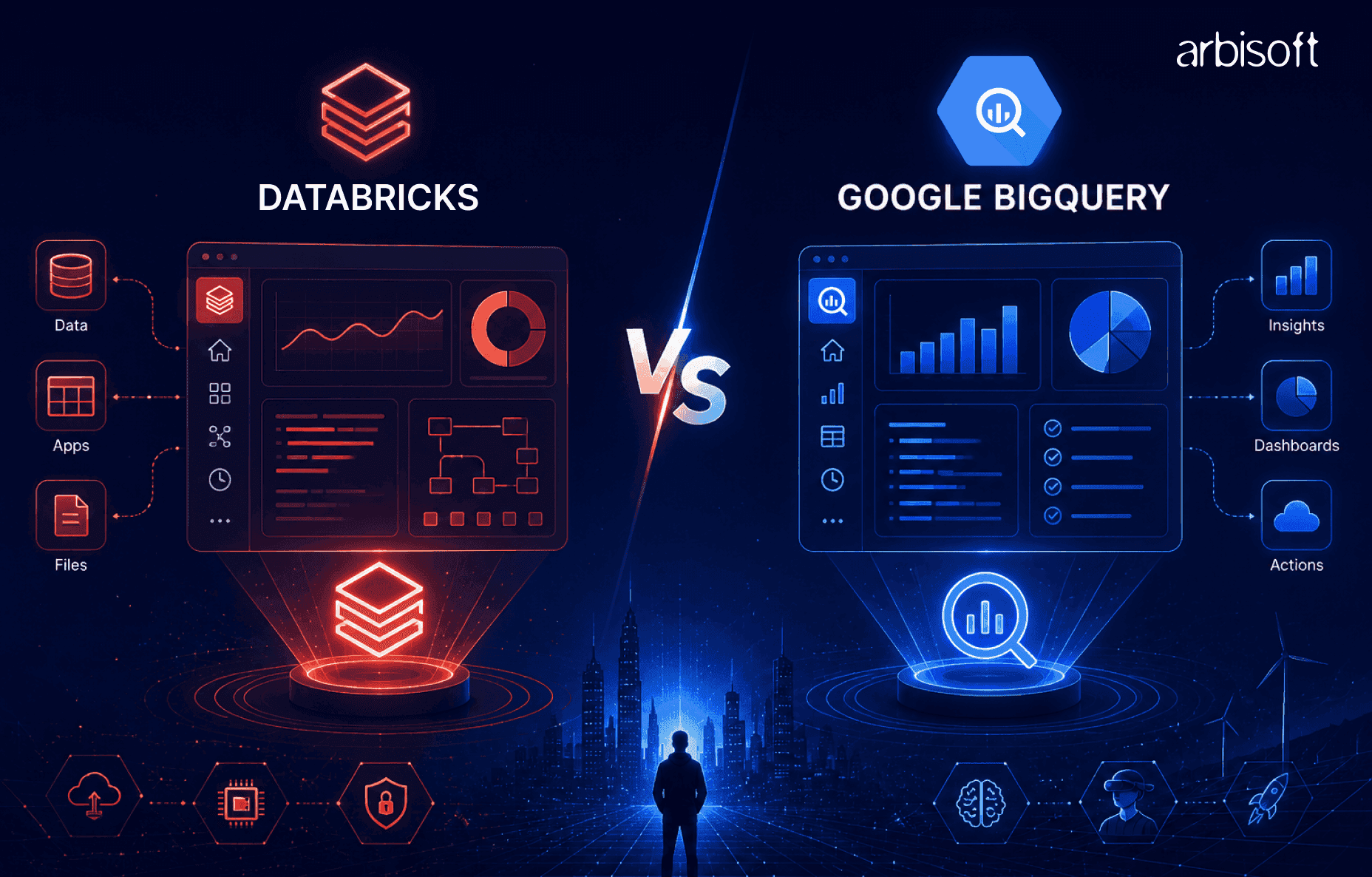
The better question is not “Is Databricks better than Google BigQuery?” It is “Which platform fits the workloads your data team actually needs to run?”
An artificial intelligence (AI) ready data team needs more than storage and queries. It needs governed pipelines, scalable analytics, machine learning infrastructure, generative AI data workflows, and cost visibility. Databricks and Google BigQuery can both support parts of that picture, but they do so through different architectural models.
Databricks tends to fit teams that need engineering control across complex pipelines, streaming, machine learning, and AI workflows. BigQuery tends to fit teams that want a serverless, Structured Query Language (SQL) first analytics platform deeply integrated with Google Cloud.
Before shortlisting either platform, map your workload mix: analytics, batch pipelines, streaming, machine learning, generative AI, governance, and cost management.
Databricks and BigQuery overlap in analytics, data processing, and AI use cases, but they are not interchangeable platforms. The practical difference is how much control your team needs versus how much infrastructure it wants the platform to manage.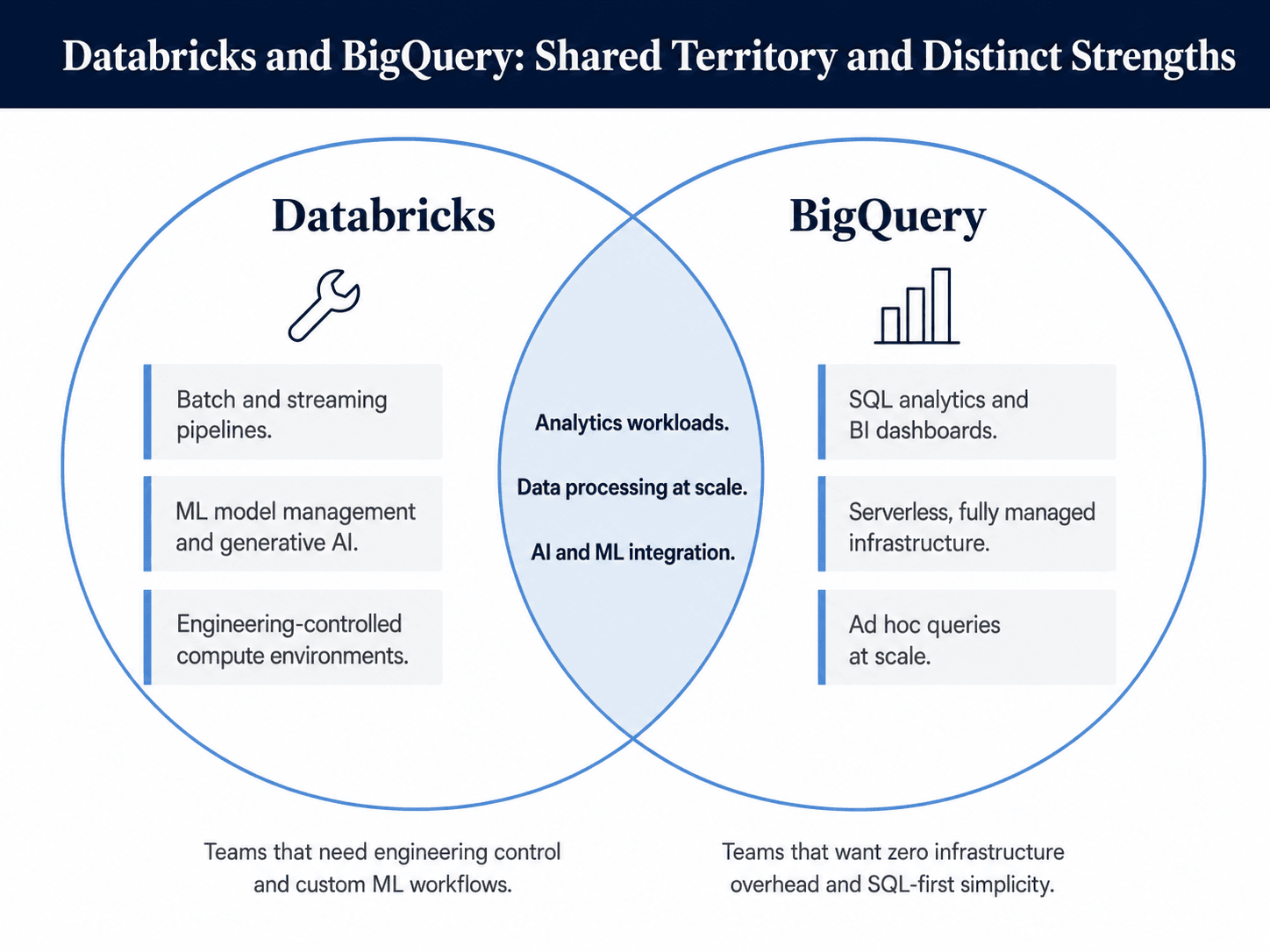
Databricks is a lakehouse-oriented data and AI platform. A lakehouse combines data lake flexibility with warehouse-style governance, reliability, and analytics.
The platform is built around Apache Spark, Delta Lake, Unity Catalog, Databricks Lakehouse, Lakeflow Jobs, notebooks, and Mosaic AI capabilities. That makes it strong for engineering-heavy environments where teams need to build batch and streaming pipelines, prepare data for machine learning, manage models, and support generative AI applications.
The trade-off is operational responsibility. Teams still need to think about compute configuration, cluster policies, runtime environments, libraries, and workload optimization.
Google BigQuery is a fully managed, serverless cloud data warehouse on Google Cloud. Users submit SQL queries, and BigQuery manages infrastructure, resource allocation, scaling, and execution behind the scenes.
BigQuery is strongest for SQL analytics, business intelligence (BI), dashboarding, and ad hoc queries at scale. It also supports machine learning through BigQuery ML and integrates with Vertex AI for broader model development and deployment workflows.
The trade-off is reduced compute control. For teams that need custom engineering environments, advanced pipeline control, or notebook-centered machine learning workflows, BigQuery often needs to be paired with other Google Cloud services.
Architecture matters because AI-ready teams need more than fast queries. They need trusted data movement, governance, feature preparation, model workflows, vector search, and reliable cost controls.
Dimension | Databricks | BigQuery |
| Core model | Lakehouse platform | Serverless data warehouse |
| Strongest fit | Engineering, machine learning, mixed workloads | SQL analytics, BI, Google Cloud-native teams |
| Control level | Higher control over compute and environments | Higher abstraction and managed operations |
| Ecosystem posture | Multi-cloud and open data orientation | Deep Google Cloud alignment |
Use this table as a starting point, not a final verdict. The right platform depends on which column matches your dominant workloads.
Databricks gives teams more control over compute, libraries, runtimes, streaming jobs, and multi-language development. That flexibility helps when teams are building complex extract, transform, load (ETL) pipelines, machine learning features, or generative AI applications that need custom data preparation.
BigQuery removes most infrastructure decisions. Analysts and analytics engineers can focus on SQL, datasets, access policies, and dashboards without managing clusters or execution engines.
The decision point is simple: choose flexibility when workload diversity is the constraint. Choose simplicity when operational overhead is the constraint.
Databricks runs across major cloud environments and supports open table format strategies through technologies such as Delta Lake and Apache Iceberg. That matters for organizations with multi-cloud requirements, existing lake storage, or portability goals.
BigQuery is strongest when the organization is already standardized on Google Cloud. Its integrations with Cloud IAM, Cloud Logging, Cloud Storage, Looker, Looker Studio, Dataflow, Pub/Sub, and Vertex AI can reduce integration work for Google Cloud-native teams.
A realistic architecture review should inventory your storage, identity provider, BI tools, orchestration layer, catalog strategy, and downstream applications.
Data engineering is where the platforms diverge most clearly. Databricks gives engineers a broad platform for designing and operating pipelines. BigQuery gives analytics teams a managed warehouse that can connect to surrounding Google Cloud services for ingestion and orchestration.
Databricks fits teams that need batch and streaming pipelines, Spark-based transformations, notebooks, jobs, custom libraries, and governed data assets in one environment. Lakeflow Declarative Pipelines, Lakeflow Jobs, Delta Lake, and Unity Catalog support a unified engineering model for many complex data workflows.
This is useful when pipelines involve semi-structured data, incremental processing, custom Python or Scala logic, machine learning feature preparation, or low-latency streaming requirements.
The evaluation question is whether your team has the Spark, Python, platform, and governance maturity to use that flexibility well.
BigQuery fits teams whose pipeline and reporting workflows are mostly SQL-centered. Analysts can query large datasets without provisioning infrastructure, and analytics engineers can use scheduled queries, materialized views, BI integrations, and Google Cloud orchestration services.
For streaming and ingestion, BigQuery commonly works with Pub/Sub, Dataflow, and other Google Cloud services. That can be productive for teams already using Google Cloud, but it also means some engineering workflows live outside BigQuery itself.
The evaluation question is whether a serverless SQL warehouse covers enough of your pipeline needs without creating too many adjacent service dependencies.
For BI and reporting, BigQuery often has a simpler user experience. SQL users can work directly in the BigQuery console and connect naturally to Looker, Looker Studio, Tableau, and other BI tools. The lack of cluster management lowers onboarding friction for analysts.
Databricks Lakehouse brings warehouse-style SQL analytics. It supports BI tools through standard connectors and gives organizations a way to serve analytics from governed lakehouse data. It can be strong when analysts need access to data that engineering and machine learning teams are already curating in Databricks.
The practical test is not a generic benchmark. Run your highest-frequency dashboards, largest SQL queries, and realistic concurrent user patterns on both platforms.
Machine learning and generative AI make the comparison more nuanced. BigQuery can be highly productive for SQL-accessible machine learning and Google Cloud AI integrations. Databricks is usually stronger when teams need an integrated engineering and machine learning operations environment.
Databricks supports machine learning operations (MLOps) through MLflow, model tracking, model registry capabilities, feature workflows, model serving, notebooks, and governance through Unity Catalog. This is useful for data science and machine learning engineering teams that need reproducibility, experiment tracking, deployment workflows, and governed model assets.
BigQuery ML lets teams build and run models with SQL, which lowers the barrier for analysts and analytics engineers. For advanced model lifecycle needs, teams typically extend into Vertex AI, which adds powerful capabilities but also adds another operating surface.
Verify model lineage, registry controls, rollback procedures, serving patterns, monitoring, and access policies before calling either platform AI-ready.
Generative AI requires governed access to enterprise data. For retrieval-augmented generation (RAG), teams need embeddings, vector search, access controls, lineage, and auditability.
Databricks supports this through Mosaic AI capabilities, vector search, model serving, AI functions, and governance tied to Unity Catalog. This can be attractive when generative AI workloads are closely connected to engineering pipelines, unstructured data, or machine learning workflows.
BigQuery supports generative AI through BigQuery AI, vector search, SQL-based model interactions, and Vertex AI integrations. This can be attractive when teams want to keep enterprise data in BigQuery and use SQL-centered workflows for AI-enabled analytics.
The key test is governance. Confirm that sensitive data access, masking, lineage, and audit logs work across the full AI workflow.
Both platforms offer serious governance capabilities, but the operating models differ. Databricks centers governance around Unity Catalog for data and AI assets. BigQuery centers governance around Google Cloud IAM, BigQuery catalog capabilities, policy tags, row-level security, column-level security, audit logs, encryption, and Google Cloud security controls.
Do not evaluate governance through feature lists alone. Test policy enforcement with real user roles and sensitive data patterns.
Security teams should verify:
A useful proof of concept is a small, sensitive dataset with admin, analyst, and machine learning engineer roles. Each role should see only the data it is allowed to see, and every access attempt should be logged.
Published prices rarely answer the real cost question. Databricks and BigQuery use different pricing mechanics, and the total cost depends on workload design, data volume, compute choices, concurrency, storage, optimization, and staffing.
Databricks costs are shaped by Databricks Units, cloud infrastructure costs, compute type, job design, cluster configuration, and utilization. BigQuery costs are shaped by query patterns, data scanned, storage, reservations or slots, streaming, and adjacent Google Cloud services.
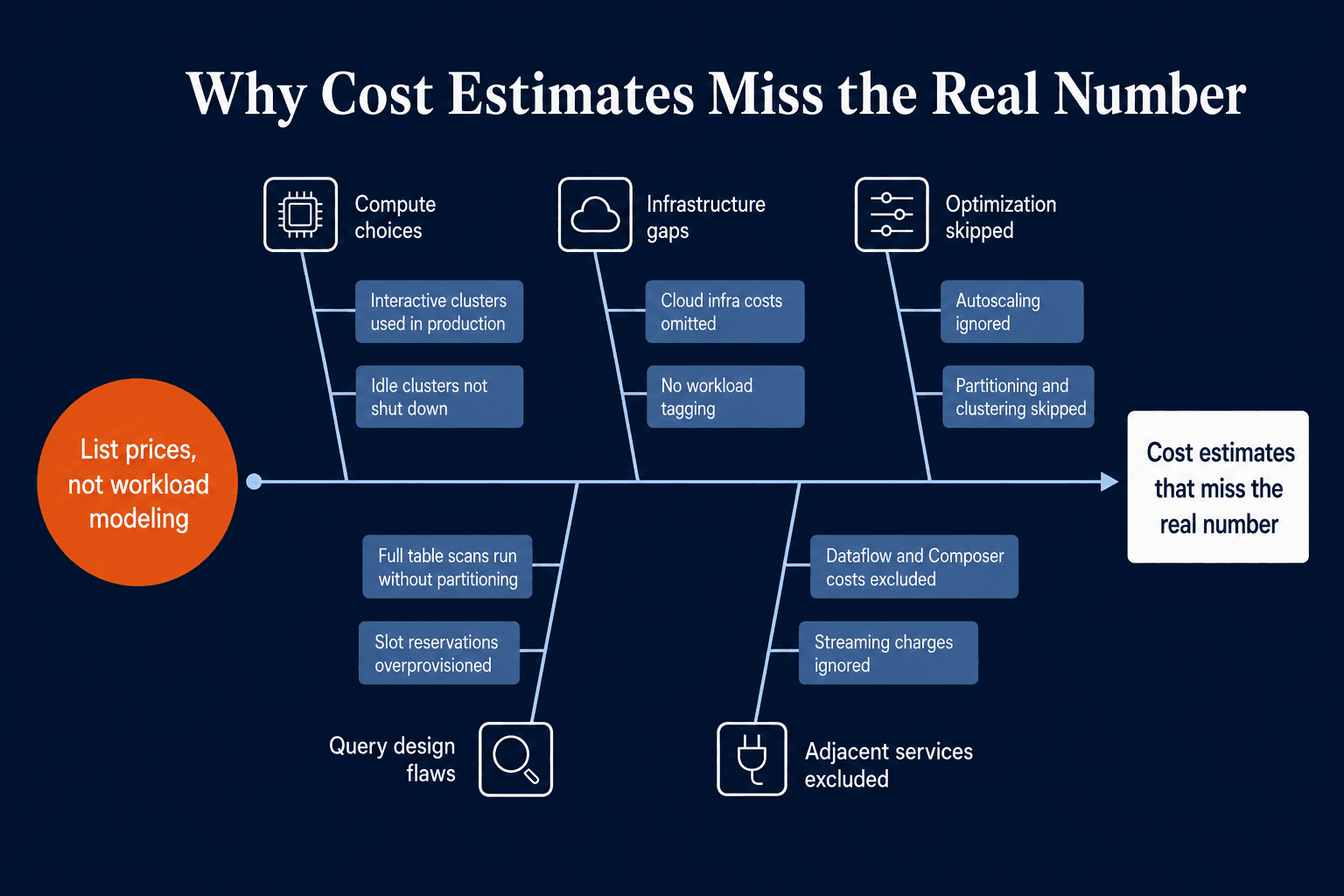
Databricks estimates can go wrong when teams use interactive compute for production jobs, leave clusters idle, ignore autoscaling, omit cloud infrastructure costs, or skip workload tagging.
A stronger evaluation separates development workloads from production jobs, tracks Databricks and cloud infrastructure spend separately, and measures wall-clock time alongside cost.
BigQuery estimates can go wrong when queries scan full tables, partitioning and clustering are underused, slot reservations are overprovisioned, streaming costs are ignored, or Dataflow, Cloud Composer, and Vertex AI costs are excluded.
A stronger evaluation measures cost per workload category: dashboarding, ad hoc analytics, batch transformations, streaming ingestion, and AI workflows.
The platform choice changes team behavior. It affects skills, operating models, governance rollout, orchestration, monitoring, cost controls, and how teams collaborate.
Databricks rewards Spark, Python, data engineering, ML engineering, notebook workflows, cluster awareness, Delta Lake design, and Unity Catalog administration.
BigQuery rewards SQL, analytics engineering, Google Cloud IAM, dataset design, BI operations, and managed warehouse thinking.
Neither skill model is inherently better. The risk is choosing a platform your team is not prepared to operate.
BigQuery is easier to justify when the organization is already invested in Google Cloud, Looker, Google Cloud Identity, Pub/Sub, Dataflow, Cloud Storage, and Vertex AI.
Databricks is easier to justify when the organization has multi-cloud needs, Spark workloads, lakehouse ambitions, open table format requirements, or advanced machine learning engineering workflows.
Before any proof of concept, document existing storage systems, identity providers, BI tools, orchestration tools, catalogs, model registries, and downstream applications.
The winning platform depends on workload fit. Use the following signals to guide shortlisting.
Databricks is likely the stronger fit when:
The cautiont: Databricks can be too much of a platform for teams that only need managed SQL analytics.
BigQuery is likely the stronger fit when:
The caveat: BigQuery is not always enough for advanced machine learning engineering or complex custom pipeline environments by itself.
Some teams should not force a single-platform answer. Databricks can support engineering, machine learning, and AI data pipelines, while BigQuery serves SQL analytics and BI workloads.
This pattern can make sense when engineering and analytics teams have different workflows, existing investments exist in both ecosystems, and workloads are clearly separable.
The risks are real: data duplication, latency, governance drift, lineage gaps, integration maintenance, and higher total cost of ownership. Validate data movement and policy consistency before adopting both.
Use this checklist before making a platform decision:
A platform should only advance if it passes the workload, governance, skill, integration, and cost visibility tests.
Databricks wins when workload complexity is the main problem. It is the stronger fit for engineering-heavy teams building complex pipelines, machine learning systems, generative AI workflows, multi-modal data products, and multi-cloud lakehouse architectures.
BigQuery wins when operational simplicity is the main problem. It is the stronger fit for Google Cloud-centered teams focused on SQL analytics, BI delivery, managed warehouse operations, and accessible machine learning through SQL and Vertex AI integrations.
For mixed environments, the best answer may be both. But a combined architecture should be chosen deliberately, with governance, data movement, latency, and cost controls tested early.
The most defensible next step is a workload-based proof of concept. Run real engineering, analytics, machine learning, and generative AI workloads on the shortlisted architecture. The platform that wins those tests is the one most likely to work for your AI-ready data team.
...Loading Related Blogs
Trusted by top platforms for our transformative solutions and exceptional results: