
 Add as preferred on Google

AWS re:Invent 2026: Is Your Stack Ready for the Announcements?Read More

Have you ever experienced an app crashing on your phone while it works perfectly on a desktop? That’s exactly why device testing is essential. Device testing means checking an application on multiple devices to make sure it provides a seamless user experience.
In software quality assurance (SQA), device testing is the process of testing an application on different devices, form factors, and operating systems (OS) such as iOS and Android. It checks the application’s functionality, performance, and user experience across platforms to make sure it is consistent and reliable.
This process usually includes:
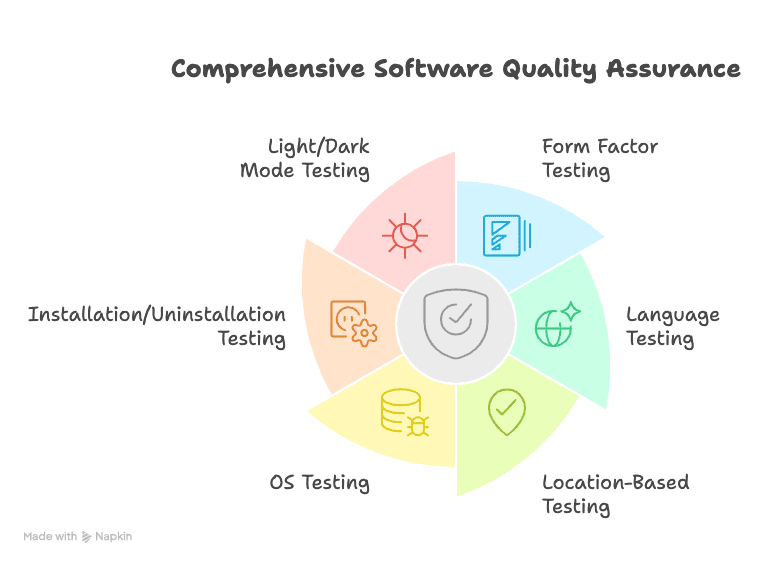
In SQA, testing on different devices is crucial because it allows applications to be checked across a wide range of devices. This reduces compatibility issues, ensures consistent functionality, and highlights environment-specific problems. It also makes sure the product works smoothly for all users, no matter which device or OS they use.
Some key reasons why testing across devices is necessary:
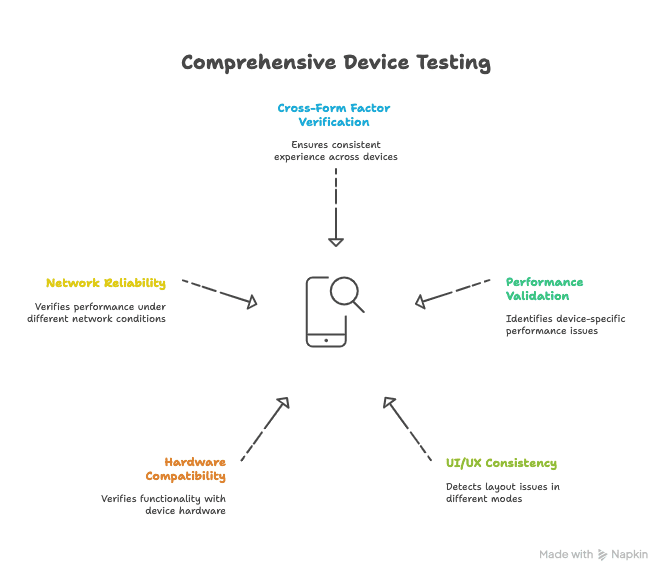
In an illustrative example, an e-commerce website was launched to work on desktop, mobile, and tablet devices. Testers carried out testing on different platforms and found several issues. The application was not working and was crashing on older versions of Android devices. On small screens, the UI was distorted, buttons were misaligned, and layouts were overlapping. On tablets in landscape mode, the UI appeared broken and inconsistent.
When testers ran the application on real devices, they also found problems such as battery drainage, touch issues, and network failures. These issues were found and fixed through device testing before release.
Device testing can be divided into several types. Each type makes sure the application is reliable and performs well across devices and platforms.
The main categories include:
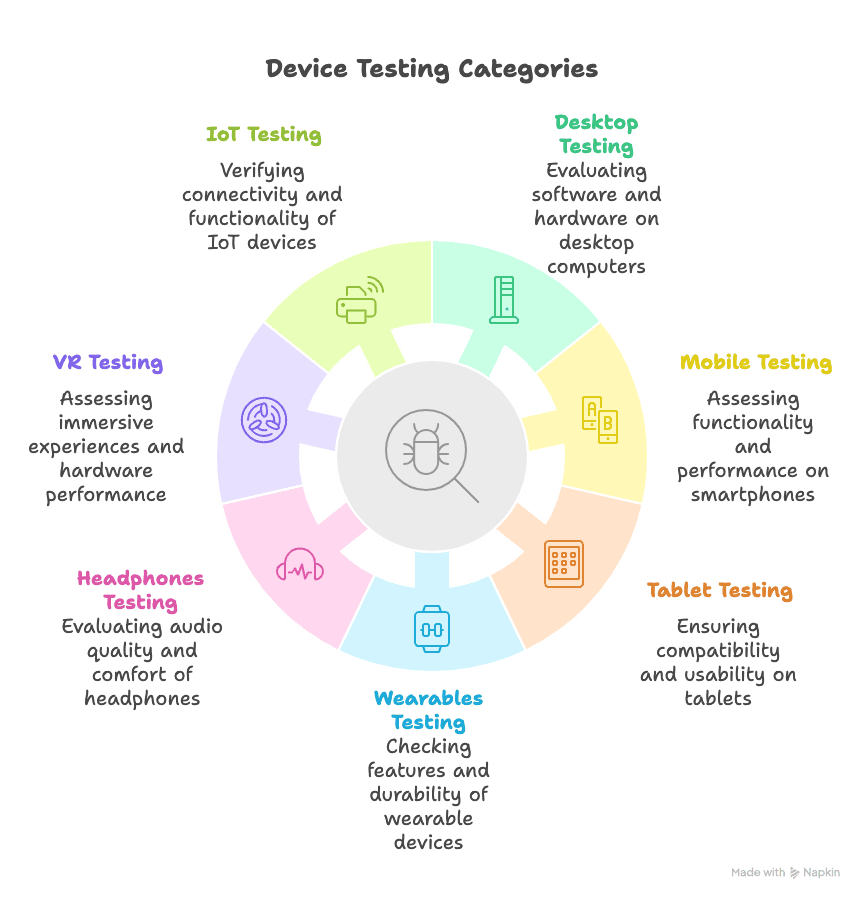
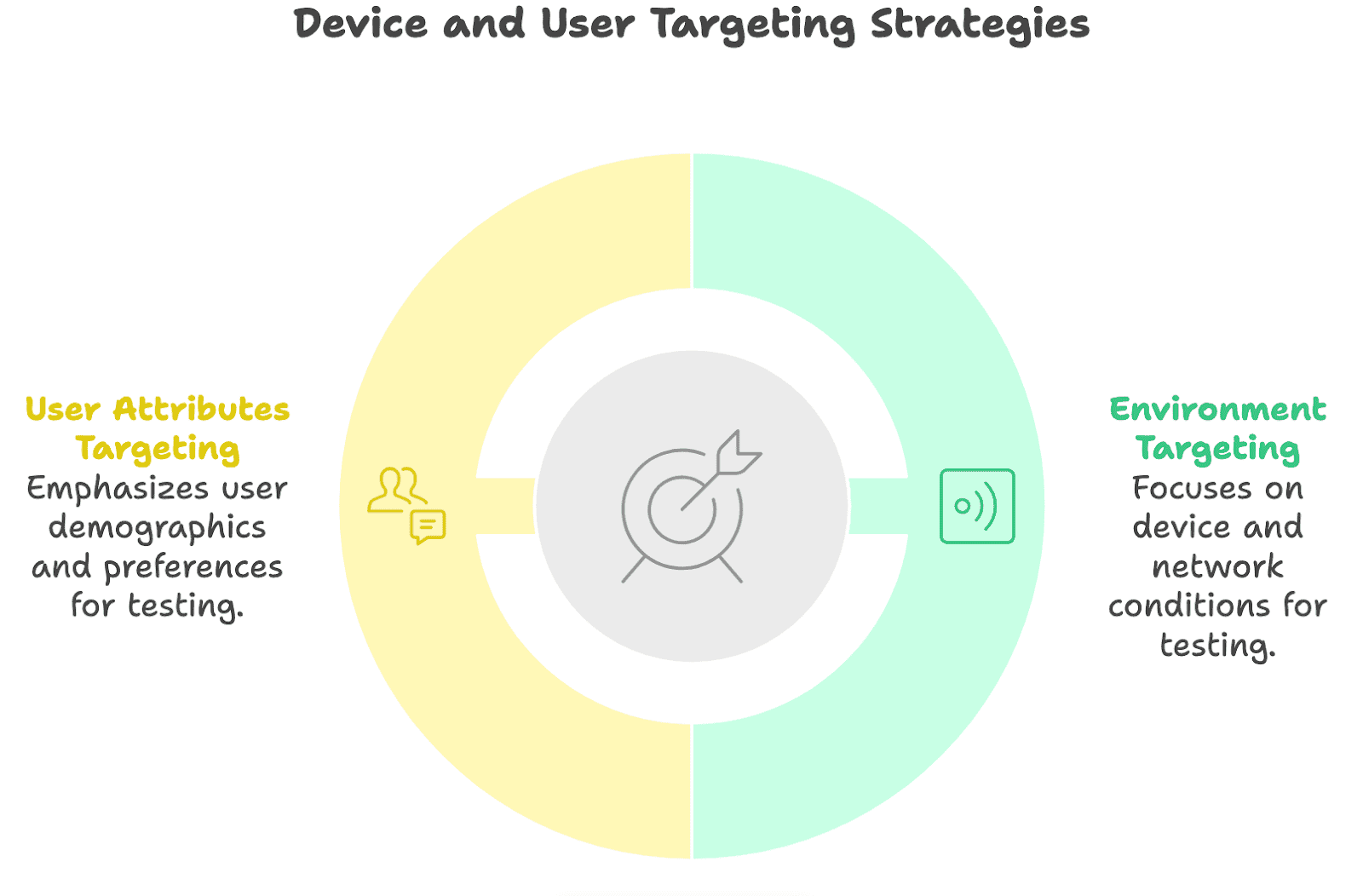
Device targeting ensures applications work consistently and reliably across devices by finding issues before release. It covers both environmental factors and user attributes to deliver a smooth user experience.
Targeting by environment makes sure the application works correctly in all the environments where users may access it, including different network conditions, locations, languages, and display modes.
Examples include:
Targeting by user attributes checks real-world scenarios to see how users interact with the application. It involves end-to-end testing from the user’s perspective.
Examples include:
Complex UI testing is difficult because one screen can render in many ways. API data changes what it shows, the viewport changes its layout, and theme or font settings change how it looks. A screen can pass every functional check and still ship with a visual defect, because functional tests confirm that a button works and say nothing about where it sits or whether text overlaps it.
The defects that slip through are usually small: a slightly misaligned button, text that overlaps only at one screen size, a missing or misplaced icon, uneven padding, or an issue that appears only in dark mode. Manual testers miss them for a plain reason. After checking the same screens release after release, a small layout shift starts to look normal, and regression testing turns into the question "Has this always looked like this, or is it new?"
| Challenge | How it shows up | What QA teams do about it |
|---|---|---|
| Changing elements | Dates, timestamps, user-specific content and generated values change on every run and trigger false visual differences | Mask or ignore the changing regions and compare only the stable parts of the screen |
| Responsive layouts | Overlapping text and misaligned buttons appear only at specific widths, orientations or font sizes | Keep a baseline screenshot for each viewport in the device matrix and compare every run against it |
| Flaky locators | Tests that find elements by CSS class or DOM position fail after a layout change even though the feature still works | Locate elements by user-facing attributes, such as a button's role and visible name |
| Unannounced UI changes | Design updates reach QA without notice, so testers cannot tell an intended change from a defect | Review each visual difference against the design intent and update the baseline when the change is intended |
Visual testing handles most of these rows. A tool captures a screenshot of a screen as the baseline, captures it again on a later run, compares the two images and marks the differences for review. Testers then check only the screens that changed instead of rechecking every screen by hand. A person still decides whether each difference is a defect or a planned design update.
Visual baselines are device-specific, which ties UI testing back to device coverage. Playwright's documentation on visual comparisons notes that browser rendering can vary with the host OS, version, settings, hardware and even power source. It recommends running tests in the same environment where the baselines were generated.
A baseline captured on a developer's laptop can report false differences on a CI runner or another device. Plan one set of baselines for each environment in the device matrix. Our guide to Playwright visual testing for UI regression covers creating baseline screenshots and masking changing content.
In software quality assurance (SQA), device testing plays a vital role. It is one of the best ways to check the functionality and performance of an application across devices. This ensures stability, compatibility, and reliability. When users can access the same application on different devices without issues, it builds trust and satisfaction. Testing on different devices is the key to delivering a high-quality application.
If an upcoming launch needs a device matrix and visual regression checks built into release testing, talk to a QA engineer about our software testing services.
...Loading Related Blogs
Trusted by top platforms for our transformative solutions and exceptional results: