

 Add as preferred on Google
Open-Source LMS: Top platforms for 2026Read More

Every team that runs on Snowflake, the big cloud data warehouse where nearly all of our data lives, eventually hits the same moment: the monthly bill keeps climbing, and nobody can point to just one reason why. That's exactly where we found ourselves. This is the story of how we chased it down, and what it actually saved us.
The first sign of trouble was simple: our Snowflake bill kept growing, month after month, without one obvious culprit.
Digging in, two things stood out. First, some of our "dynamic tables", tables that automatically refresh themselves with new data on a set schedule, instead of anyone updating them by hand, were running long, and running often. Every refresh costs money, whether or not anyone's actually looking at the result at that moment. Second, the sheer volume of data we were sitting on meant those refreshes kept getting heavier over time, like sending the same delivery truck, on the same tight schedule, to restock a store that keeps getting bigger every month. Our biggest single table alone had grown to 23 billion rows and 1.2TB.
Put together, our bill was being pulled up from two directions at once: the cost of processing data, and the cost of simply storing it.
We started with one goal: bring the number down. But before touching anything, we needed to understand what was actually driving the cost, and it turned out there were two very different bills hiding inside the one we saw.
What it costs to actually process and refresh data, was the one we had the most direct control over, so we started there:
What it costs to simply hold onto data, whether or not anyone ever looks at it again, needed a different kind of work. You can't just start deleting things and hope for the best, so we did real detective work first: digging into the data itself to answer three questions. How old can data get before it's safe to delete entirely? How old before it should be tucked away somewhere cheaper, but kept? And what should never be touched, full stop?
With those answers in hand, we went looking for the right place to put the "tuck away" data. Two options stood out:
We weighed both, and for our biggest, costliest table, went with S3 Glacier.
With the decisions made, we moved to actually rolling things out.
On the compute side, we shipped the refresh-rate and lag changes, migrated the tables we could over to lighter, incremental refreshes, rolled out the new summary tables, and switched off the unused AI features.
On the storage side, we built a safety-first process for archiving the coldest data, nothing gets removed from Snowflake until we're sure it's safely somewhere else:
The results were fabulous, and we actually have the numbers to show it.
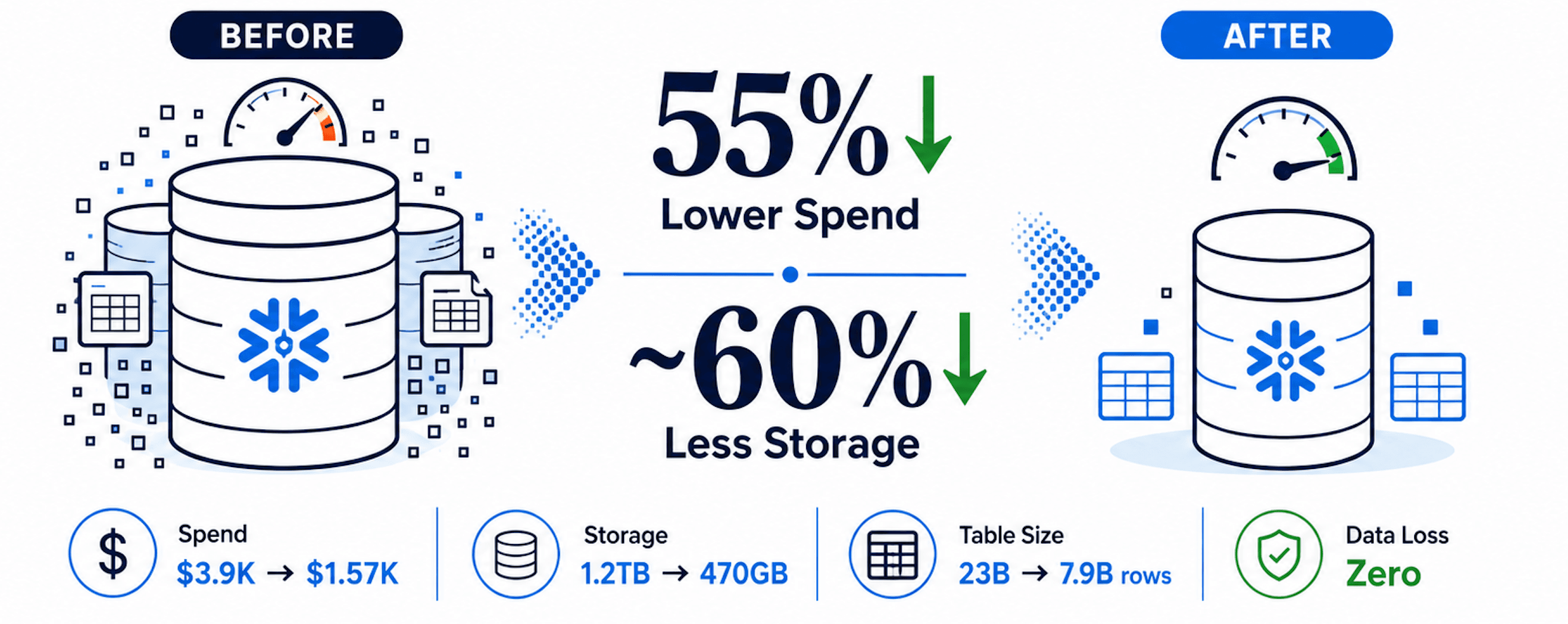
On storage, our biggest table went from 23 billion rows and 1.2TB down to 7.9 billion rows and 470GB, a roughly 60% cut in storage footprint, without losing a single row along the way (every batch was verified before anything got deleted).
On the bill overall, the impact was even more visible than we expected. Total Snowflake spend dropped 55% across three months, from about $3.9K in May down to roughly $1.57K in July. Some days this month, we're running at a fraction of what we used to spend, tracking 67% lower than the same point last month, with monthly budget utilization sitting comfortably at 7%. When we checked in on the account's cost health afterward, it came back clean: no outstanding optimization flags left to chase.
Between trimming compute waste and moving our coldest, heaviest data out of "hot" Snowflake storage entirely, we took real, visible weight off the monthly bill, and left our dynamic tables noticeably lighter and faster to refresh along the way.
...Loading Related Blogs
Trusted by top platforms for our transformative solutions and exceptional results: