 Add as preferred on Google
How a Repository Health Dashboard Helped Open edX Patch certifi in 48 HoursRead More
Web scraping is worth building only when no API offers the data on workable terms, and scrapers that read embedded JSON break less often than those tied to page layout.
Before writing code, list the fields you need, check for an API, and read the site's robots.txt and terms.
A scraper that worked on Monday can return empty fields by Friday because a site renamed one CSS class. That is where most scraping costs sit.
Web scraping is the automated collection of data from web pages, and it is worth building when no official API offers the same data on workable terms. This guide explains the scraping pipeline, when an API is the better route and which tools suit which sites. It then walks through a Scrapy spider with selectors that survive redesigns, the hurdles that break scrapers and the rules that keep a crawler polite.
Web scraping is the automated downloading of web pages and extraction of specific data from them, such as product prices, job listings or article text, into CSV, JSON or a database table. In Scrapy, the program is called a spider. A spider is a Python class that knows which URLs to request and how to read each response.
A spider runs unattended until the site changes the markup it depends on. Then it breaks. In our experience, the scrapers that last longest target the data source behind a page, such as an embedded JSON object or the API the page itself calls, instead of its visible layout.
Retailers use web scraping to monitor competitor prices and stock levels. Investment and research firms collect alternative data, and machine learning teams build training datasets.
Screen scraping pulls data from whatever a screen displays, including desktop applications, scanned documents and websites, while web scraping reads the HTML and data a website sends to the browser. People often use the terms interchangeably.
The difference matters when choosing tools. A product catalogue on a web page calls for an HTML parser or a crawler. Figures locked inside a chart image or an old desktop application need tools that read images or automate the interface, and that output needs more checking.
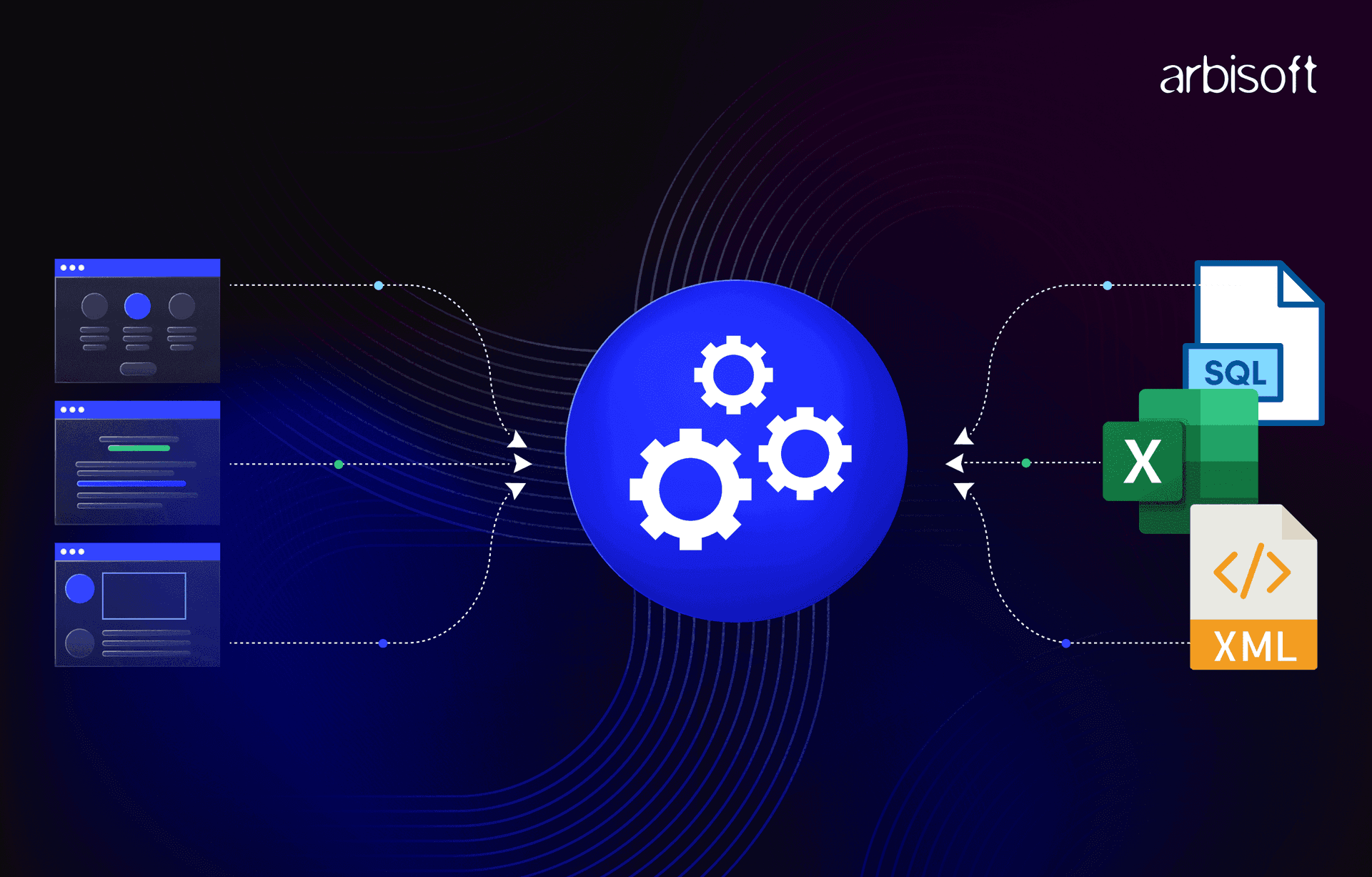
Every scraper runs the same five stages, whichever tool it uses. Extraction and cleaning usually take the most work.
Building these stages takes working knowledge of HTML, the DOM (Document Object Model), CSS selectors and XPath, plus the browser's developer tools.
Use an official API when it offers the data you need at a price and rate limit you can accept. An API returns structured JSON or XML under documented terms, with no HTML to parse and nothing to break when the site is redesigned. Scraping is the right call when no API exists, when the API omits fields the public page shows, or when its pricing does not fit.
APIs carry risks too. Providers set rate limits, charge for higher tiers and can change terms or retire endpoints, which is why many teams end up with a hybrid that uses the API for core data and a scraper only for the gaps.
| Situation | Use | Why |
|---|---|---|
| A documented API exposes every field you need | API | Stable format and clear usage terms |
| No API exists and the data is public | Web scraping | The page is the only source |
| The API omits fields the page shows | Hybrid | API for most fields, scraper for the gaps |
| You need near-real-time updates | API or a licensed data feed | Polling pages that often strains the site and invites blocks |
| API pricing or rate limits exceed the budget | Web scraping, after checking the terms | Lower fees, but your team owns maintenance |
| Data sits behind a login, or the terms forbid automated access | Neither, without permission | Ask the owner for access or license the data |
The answer depends on how the target site delivers its data. Static HTML suits a parser, large or recurring crawls suit a framework, and pages built by JavaScript may need a real browser.
| Method | Example tools | Runs JavaScript | Scaling effort | Best for |
|---|---|---|---|---|
| HTML parsing | Requests with Beautiful Soup | No | High, queuing and retries are hand-written | One-off jobs on small static sites |
| Crawling framework | Scrapy | Not by default, scrapy-playwright adds it | Low, scheduling and pipelines are built in | Recurring crawls across many pages |
| Headless browser | Playwright, Selenium | Yes | High, every page loads like a full visit | JavaScript-heavy pages and click or scroll flows |
Beautiful Soup is a Python library for pulling data out of HTML and XML files, usually paired with Requests to download pages. It fits one-off jobs on small static sites. Its limit is everything around parsing. Queuing, retries, throttling and exports all have to be written by hand, and that code grows fast once a job spans many pages.
Scrapy is an application framework for crawling websites and extracting structured data. It schedules and processes requests asynchronously, which the Scrapy documentation names as one of its main advantages, and it includes middlewares, item pipelines, cookie handling, robots.txt support and feed exports to JSON, CSV and XML. It fits recurring crawls. Its limit is JavaScript, which Scrapy does not run on its own; the documentation recommends the scrapy-playwright plugin for those pages.
Playwright and Selenium drive a real browser, so a script can click, scroll and read the page after JavaScript has run. Playwright supports the Chromium, WebKit and Firefox engines. Both fit single-page applications and flows that need interaction.
Their limit is speed. Each page loads every script, style and image as a normal visit would, which makes browser crawls far slower and costlier than plain HTTP requests.
For a code-level comparison of these libraries, see Arbisoft's guide to web data scraping with Python.
A first project goes faster when the planning happens before any code. These six steps keep the first version small and easy to test.
The walkthrough below builds a product-page spider. It follows the example an Arbisoft engineer wrote for the first version of this guide in May 2025, which targeted the ECCO US online store. The store's class names have probably changed since. That fragility is part of the lesson.
Scrapy requires Python 3.10 or later. The Scrapy documentation recommends a dedicated virtual environment and advises against a system-wide install, which rules out the sudo pip3 command older tutorials show. As of October 2026, the current release is Scrapy 2.19.0, published on 10 September 2026.
python3 -m venv venv
source venv/bin/activate
pip install scrapyscrapy startproject ecco_parser
cd ecco_parser
scrapy genspider ecco us.ecco.comThe startproject command creates scrapy.cfg for deployment and a package with items.py (data models), middlewares.py (request and response handling), pipelines.py (cleaning and storage), settings.py and a spiders folder. Running genspider adds a spider file and fills allowed_domains and start_urls from the domain you pass.
The generated class subclasses scrapy.Spider, the base class every spider extends. Scrapy also ships CrawlSpider, which follows links by rules, and SitemapSpider, which discovers URLs from sitemaps. For a known list of product URLs, the base class is enough.
Right-click the data in the browser, choose Inspect, and note the element and attributes around it. In the 2025 version of this example, every colour variant of a shoe sat inside div.css-1ssc1jb, and one line returned all the colour URLs.
response.css("div.css-1ssc1jb a::attr(href)").getall()The product title could be reached with a long chain of classes or a short selector anchored on a test attribute.
# Long and fragile
response.css('.css-16974uh [data-testid="product-card-titleandprice"] .chakra-heading .chakra-text::text').get()

# Shorter, same result
response.css('[data-testid="product-card-titleandprice"] .chakra-text::text').get()
In our experience, a page's main container usually survives a redesign while the elements inside it get rearranged, and every extra step in a selector adds a point of failure. Names like css-1ssc1jb look machine-generated. Test each selector in the Scrapy shell (scrapy shell "URL") before adding it to the spider.
Many pages ship their full data as JSON inside a script tag. In our experience, that JSON changes less often than CSS classes or XPath paths, because front ends get redesigned more often than the data behind them. Open View Page Source and search for a distinctive ID or key. The ECCO page, built with Next.js, held its product data in a script with the ID __NEXT_DATA__.
import json
import scrapy


class EccoSpider(scrapy.Spider):
    name = "ecco"
    allowed_domains = ["us.ecco.com"]
    start_urls = ["https://us.ecco.com/"]  # replace with product page URLs

    def parse(self, response):
        raw = response.css("script#__NEXT_DATA__::text").get()
        if raw is None:
            self.logger.warning("No __NEXT_DATA__ on %s", response.url)
            return
        data = json.loads(raw)
        yield {"url": response.url, "product": data["props"]["pageProps"]}
Search on a rare key such as __NEXT_DATA__. A common word like props can appear in several scripts on one page and match the wrong one. Some pages split data across three or four JSON blocks that need mapping together, and Next.js sites built with React Server Components deliver data through self.__next_f.push() calls instead of a single block. When the data is missing from the page source entirely, the Scrapy documentation recommends finding the request in the browser's network tab and reproducing it, with a headless browser as the fallback.
scrapy crawl ecco -O products.jsonThe -O switch overwrites the output file and -o appends to it. Once the raw output looks right, move cleaning and validation into pipelines.py.
Scrapers fail for predictable reasons. Each one can be planned for before launch.
Our view is that bypassing a site's protections is never a casual technical choice, because it moves a project from collecting public data into territory the owner has deliberately closed off.
Ethical web scraping means collecting public data only, at a pace the site can handle, within its robots.txt rules and terms of service. The robots.txt file is a voluntary convention. The IETF's Robots Exclusion Protocol states that "these rules are not a form of access authorization." Following robots.txt is the baseline courtesy, and terms of service and data protection law still apply on top of it.
Scrapy makes polite crawling the default. Projects created with startproject set ROBOTSTXT_OBEY = True, and current defaults allow one concurrent request per domain with a one-second DOWNLOAD_DELAY. Setting AUTOTHROTTLE_ENABLED = True adjusts crawl speed automatically without dropping below that delay.
Arbisoft's data scraping team works to the same rules. It schedules crawls during off-peak hours, avoids collecting personally identifiable information and does not scrape platforms whose terms prohibit it, such as Facebook and Instagram. Copyright, GDPR and court cases are covered in Arbisoft's guide on whether web scraping is legal.
Yes, with help. Scrapy downloads raw HTML and does not execute JavaScript. Check the page source for embedded JSON first, or reproduce the API request the page makes. If neither works, the scrapy-playwright plugin, which the Scrapy documentation recommends, renders pages in a real browser inside the same project.
Use whichever reads more clearly. Scrapy supports both and translates CSS queries into XPath through the cssselect library. CSS is shorter for class and attribute lookups. In our experience, XPath earns its place when a selector has to match on text or move up to a parent element.
Whenever the target site changes the markup or data a scraper depends on, which nobody can schedule in advance. Plan monitoring from the first run by validating required fields and alerting when item counts drop. Scrapers that read embedded JSON or API responses tend to need fixes less often than those built on CSS classes.
A crawler discovers pages by following links or sitemaps. A scraper extracts data from the pages it fetches. Most projects need both, and Scrapy handles the two jobs in one framework.
For one site with an API or clean embedded JSON, the steps in this guide are enough to get a Scrapy spider running in-house. Recurring crawls across dozens of sites are a different job, because most of the effort goes into monitoring, fixing selectors and cleaning data as sources change. Arbisoft has provided data scraping solutions since 2007 and can scope crawlers, pipelines and data quality checks around your sources and refresh schedule. Start by listing the fields, sites and update frequency you need, then talk to Arbisoft's web scraping services team about building and maintaining the pipeline.
...Loading Related Blogs
Trusted by top platforms for our transformative solutions and exceptional results: